Talk through the work into your phone while the customer is still standing there. Handyman pulls out the client, the work and the prices, you check them, and the estimate is ready to show.
New client Mary Smith, 12 Oak Street. Replace the kitchen faucet, two hours at eighty, faucet forty-five.
0:09Tap to finish
The app pulls out
2The app understands
ClientNew
Mary Smith
12 Oak Street
WorkService
Replace kitchen faucet
2 h × $80.00$160.00
MaterialBought
Faucet
1 × $45.00$45.00
TotalAdded up by the app
$205.00
Nothing is saved until you check it. Tap any value to fix it.
Becomes your estimate
3Your customer gets this
Example
Your business name(555) 010-0199you@yourbusiness.com
ESTIMATEE-0012Nov 24, 2026
Bill to
Mary Smith
Job site
12 Oak Street
Replace kitchen faucet
Description
Qty
Price
Amount
Services
Labor
2 h
$80.00
$160.00
Materials
Faucet
1
$45.00
$45.00
Subtotal$205.00
Total$205.00
Send as PDF, share it, or show it on your phone.
Made for the handyman who works alone: faucets, doors, shelves, drywall, paint, furniture.Not for big crews, dispatch boards or contractor paperwork.
It shows what it heard. You have the last word.
Handyman never saves a guess. Everything it pulled from your words lands on one Check & save screen, and anything it’s unsure about is marked so you can’t miss it.
Unsure values are marked. “Two fifty” could be $250.00 or $2.50. You pick.
Tap any value to fix it. No starting over, no retyping the rest.
Hands or voice, same result. Everything you can say, you can also type, offline.
×Check & save
You said: “…kitchen faucet, two fifty with the part…”
Estimate · Draft
Replace kitchen faucet$160.00
Faucet
$250.00
Check this: understood “two fifty” as $250.00
1 thing to checkSave all
Works in the basement.
No bars under the sink? Keep going. Handyman keeps everything on your phone first and catches up when you’re back in signal.
Works right away, no signal
Add clients and jobs
Build estimates and invoices from your prices
Make the PDF and show it on your phone
Record payments and expenses
See what you’re owed
Waits for signal
2
2 recordings waiting for signalVoice is recorded offline and turned into a Check & save card once you’re connected. Nothing is lost.
Sending to the customer by email or text
Estimates and invoices that look like a real business sent them.
Your logo, your details, clean numbers. One job carries the client from estimate to paid, so nothing gets typed twice.
ESTIMATEE-0012
Replace kitchen faucet$205.00
Client said yes
INVOICEINV-0031
Total$205.00
Deposit paid−$45.00
Owed $160.00
INVOICEINV-0031
Balance due$0.00
Paid
Example job. Amounts are illustrative.
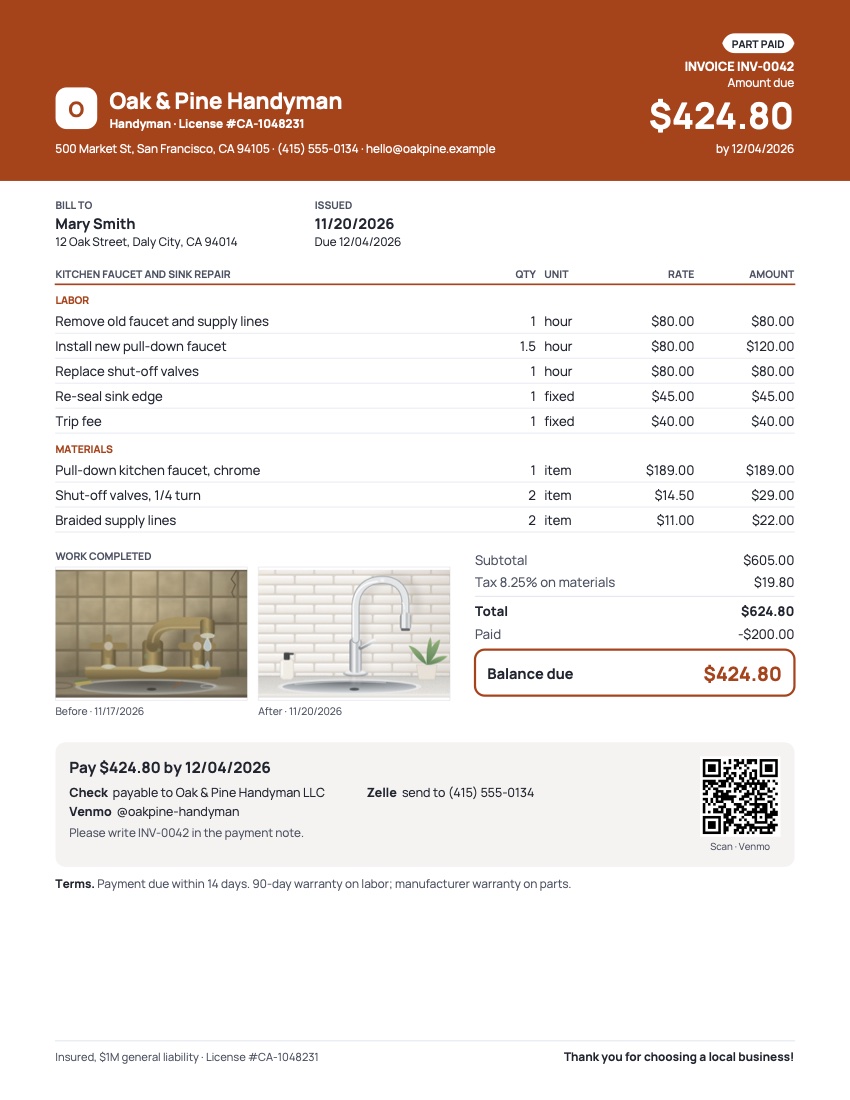
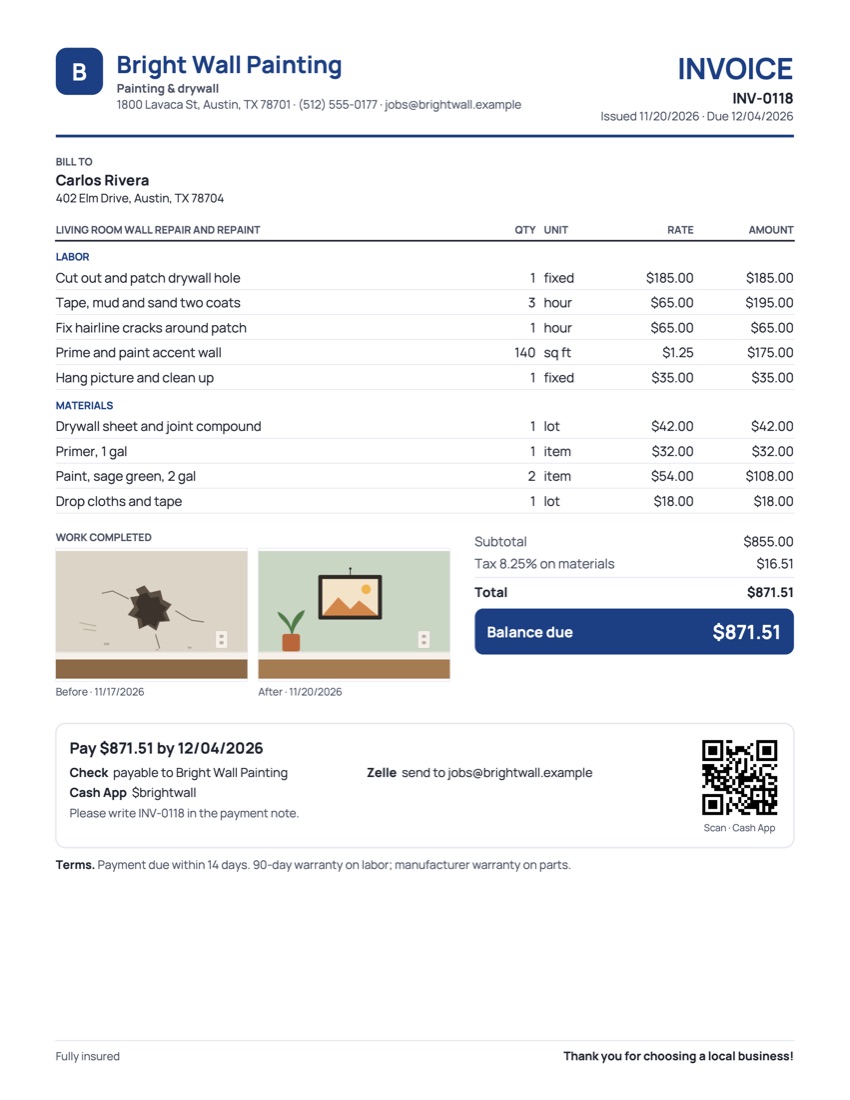
Brand colour Invoice, part paid, with before and after photosBold Estimate with deposit and client sign-offClassic Invoice with your colour on the name and total
Three templates, any brand colour. Examples made with the app; businesses, clients and photos are illustrations.
Ready in a tap
Turn the estimate into an invoice when the client says yes. Ask for a deposit for materials.
Send it your way
Share the PDF by text or email, or hand the customer your phone to read it right there.
Get paid your way
Put your Zelle, Venmo or payment link on the invoice. The money goes straight to you, the app only records it.
No quiet edits
A sent document never changes. A fix makes a new version, and numbers stay in order.
This monthExample
Received$4,280.00
Spent$1,135.50
Left$3,144.50
SpentLeft
Home store · materialsReceipt photo attached
−$86.40
Mary Smith · INV-0031Paid by Zelle
+$160.00
See what’s left, not just what came in.
Every payment and every receipt lands in one plain summary: received, spent, left. No spreadsheets at night trying to remember last Tuesday.
Snap the receipt. Expenses keep their photo, tied to the job.
Know who owes you. Overdue invoices come up before you forget them.
Hand it to your accountant. Excel and PDF, ready to send.
No. Clients, estimates, invoices, PDFs, payments and expenses all work without a signal. Voice recordings wait on your phone and are processed once you’re back online.
Does the AI do my math?
No. The app understands your words, but totals, deposits and balances are always added up by the app’s own code. Money is never guessed.
What if it mishears me?
Nothing is saved until you tap Save all. Values it isn’t sure about are marked “Check this”, and you can tap any value to fix it.
Can my customers pay through the app?
No, and that’s on purpose. You add your own payment details, links or QR code to the invoice, the customer pays you directly, and you mark it paid.
Is it for contractors or crews?
It’s built for one-person handyman work. There are no dispatch boards, change orders or lien waivers. A small-team version is planned later.
How much does it cost?
Free for 14 days from your first estimate or invoice. After that it’s a subscription through the App Store or Google Play. Your records stay yours to read and export either way.
Your next estimate, sent before you leave the driveway.
Get the app iPhone and Android · English · US first